Clinic app: step by step
Dr. Asterio G. Saquing Jr. Medical Center — Bambang, Nueva Vizcaya
The pictures below come from the practice copy of the app, so the names and amounts in them are not real patients.
Signing in everybody
-
Open app.saquingmedical.com and tap your name.
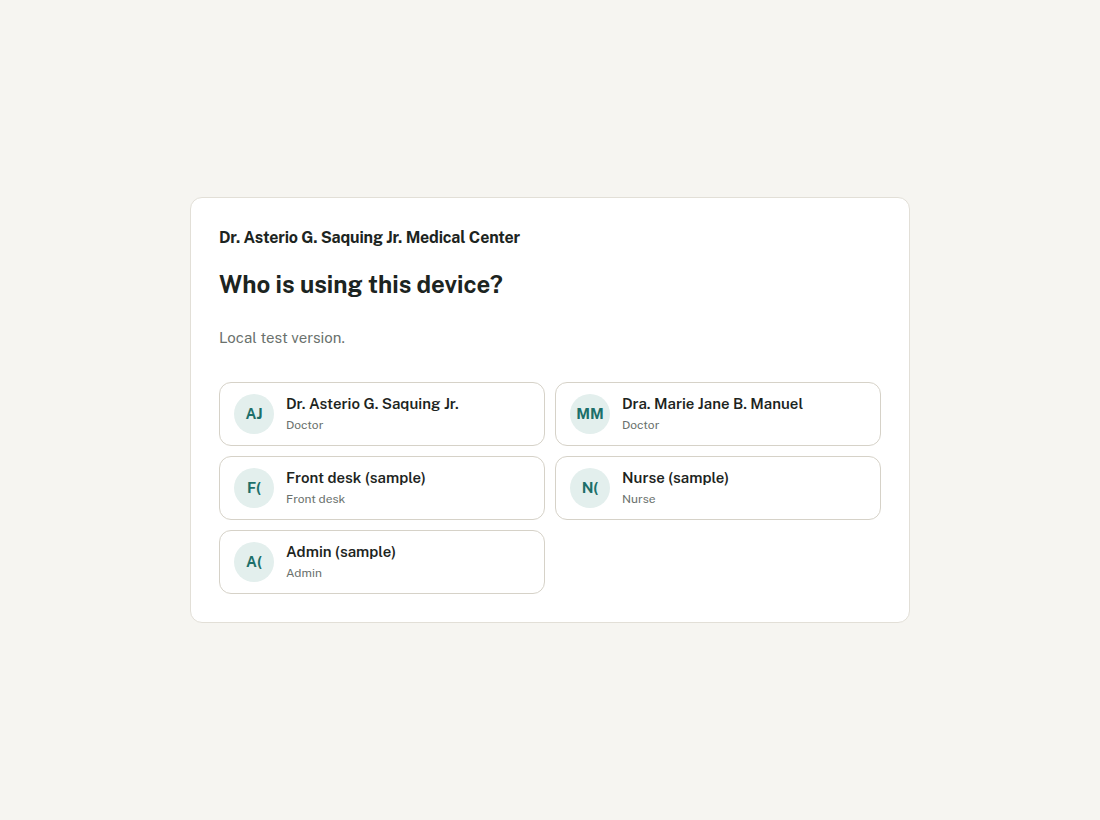
Tap your own name. Never somebody else's. -
First time: make your PIN.
4 to 8 numbers, typed twice. Only you know it. Next time you sign in with your name and that PIN.
1. Patient arrives front desk
-
Find the patient.
Tap Patients and type part of the name, the Pat No, or the phone number. Check the birthday before you pick — names repeat.
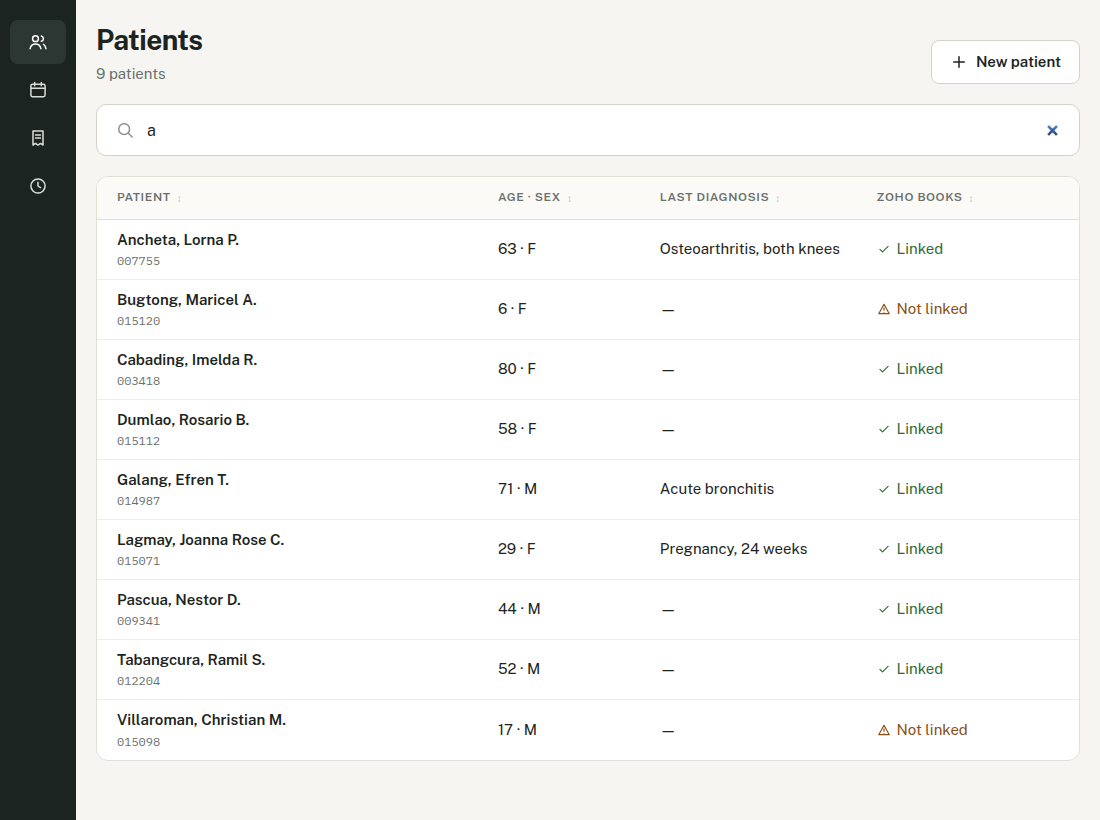
New patient? Tap + New patient. The app gives the Pat No by itself. -
Open the patient and tap New visit.
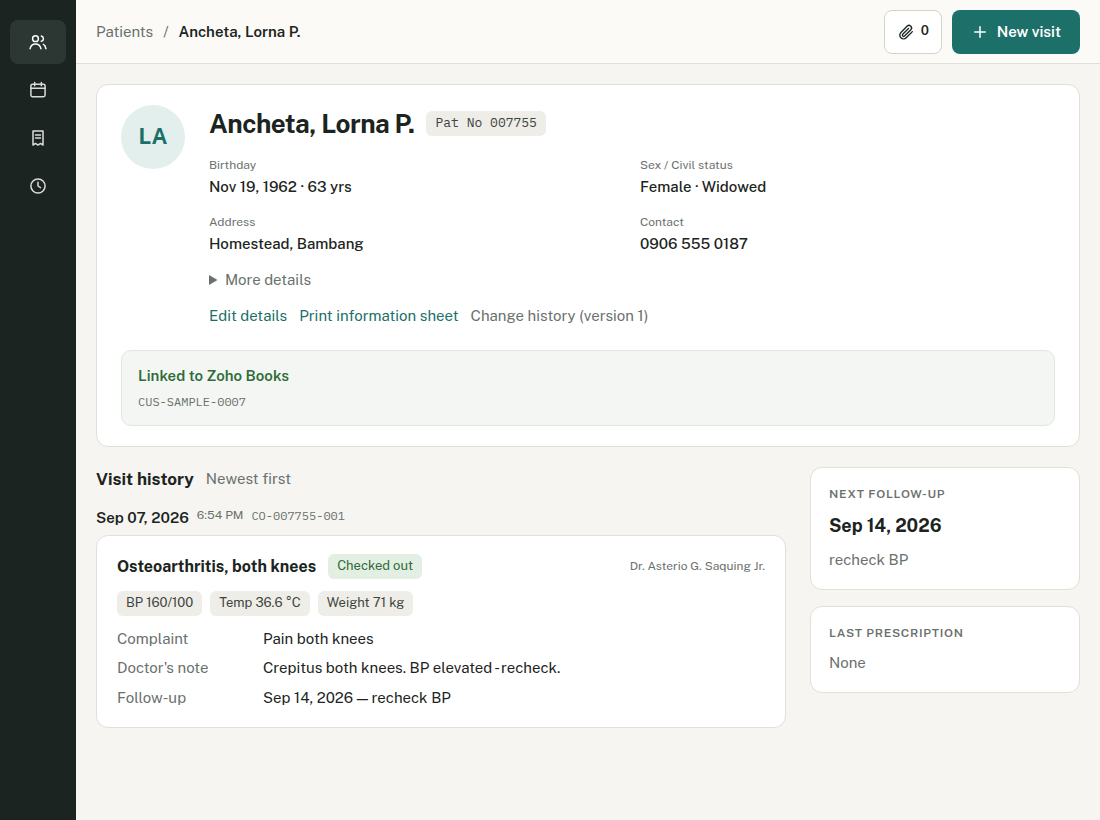
The patient's page: details, past visits, and the paperclip for photos. -
Type the complaint, then tap Save.
Write what the patient says — "Cough and fever for 3 days". The diagnosis is the doctor's job.
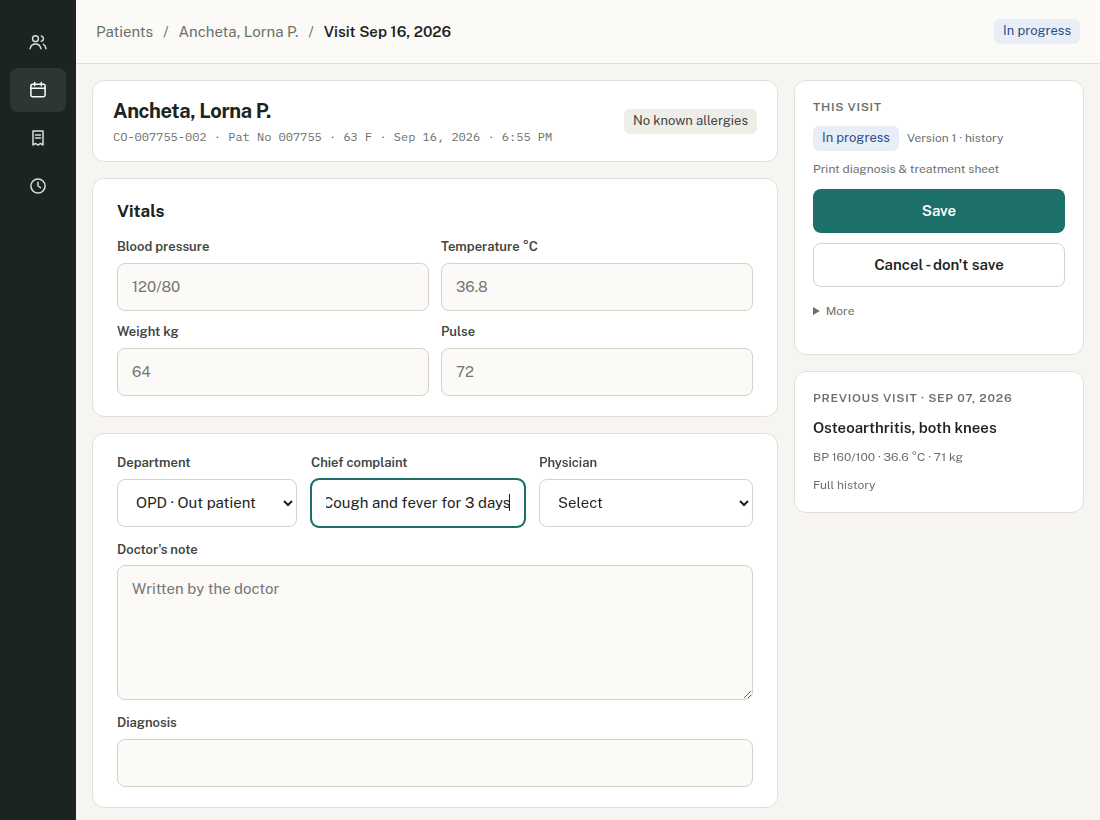
Then tell the nurse the patient is ready.
2. Vitals nurse
-
Open Today's visits and tap the patient.
-
Fill in the vitals.
Blood pressure like 120/80. Temperature in °C, weight in kg. Leave blank what you did not take.
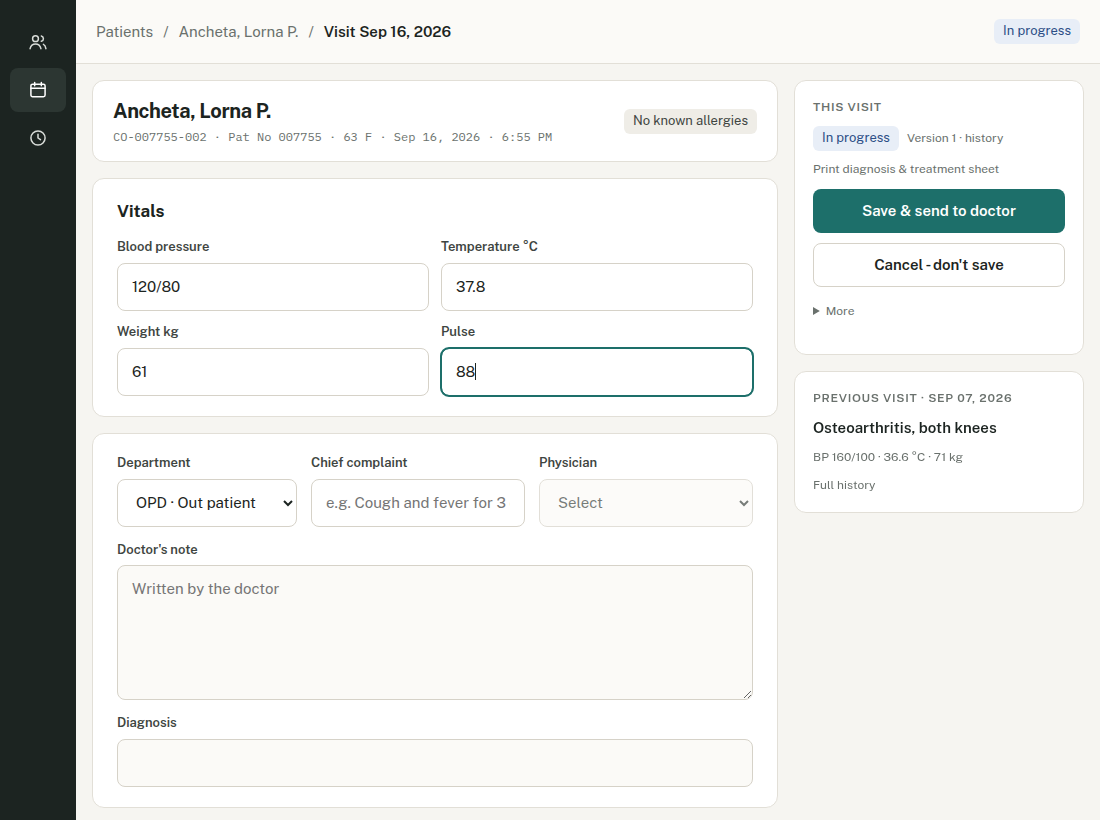
If the patient tells you an allergy, put it on the patient's details too, not only here. -
Tap Save & send to doctor.
This is what puts the patient on the doctor's list. Plain Save does not.
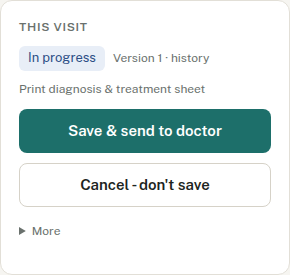
The green button is always the next step.
3. Consultation doctor
-
Open Waiting for doctor.
Longest wait first, with the complaint, age, sex and any allergy.
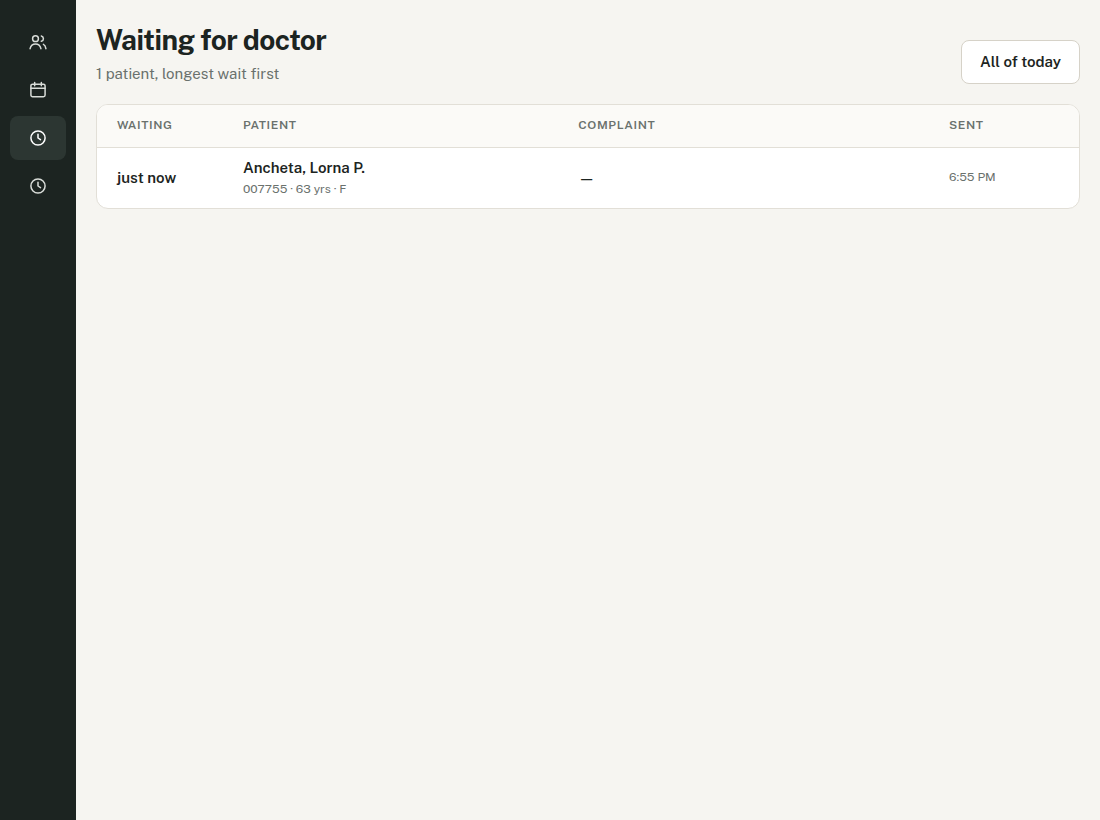
Tap the patient to begin. -
Read Previous visit on the right, then write the note and diagnosis.
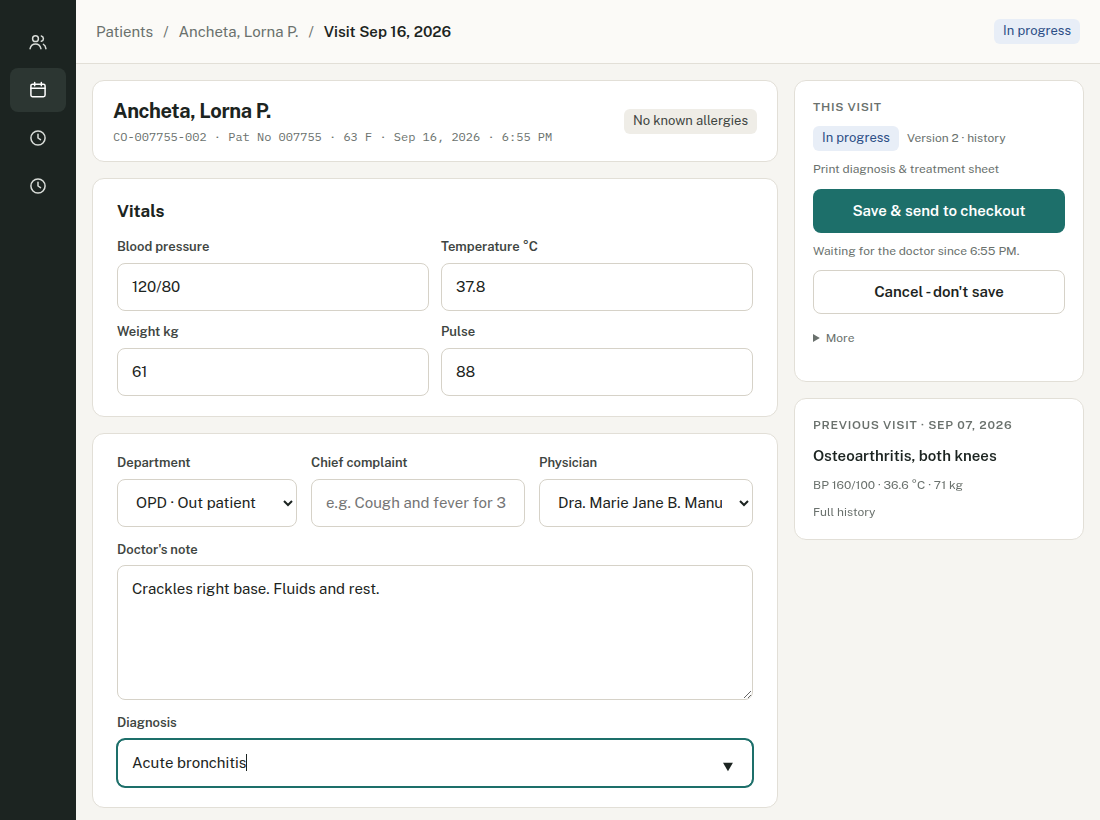
Tap Full history for everything, including the old system's records. -
Add medicines.
Type a few letters and pick from the clinic's stock. Dispensed = given here, goes on the receipt and out of stock. Prescribed only = the patient buys it outside.
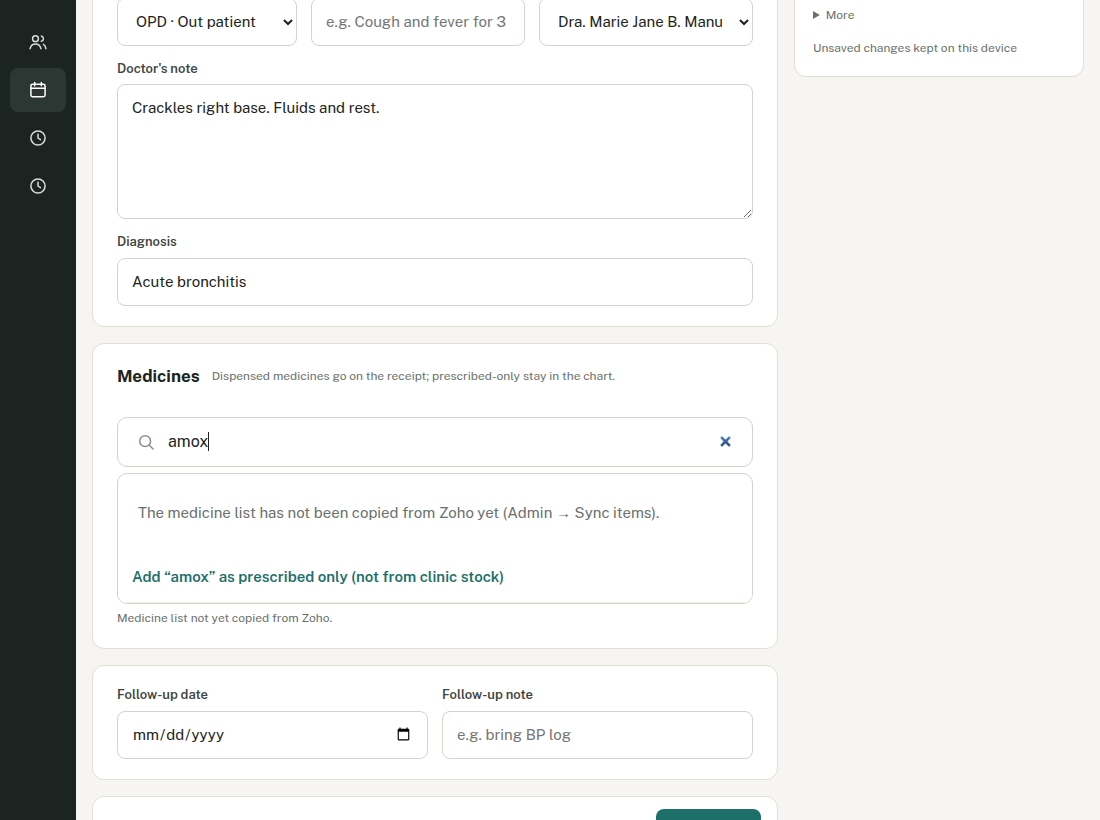
Set the dose, frequency and how many days. -
Set a follow-up date if the patient must come back.
Add a short reason: "recheck lungs", "BP check". It then shows on Follow-ups due so the front desk can ring them.
-
Tap Save & send to checkout.
4. Payment front desk
-
Open Checkout and tap Collect payment.
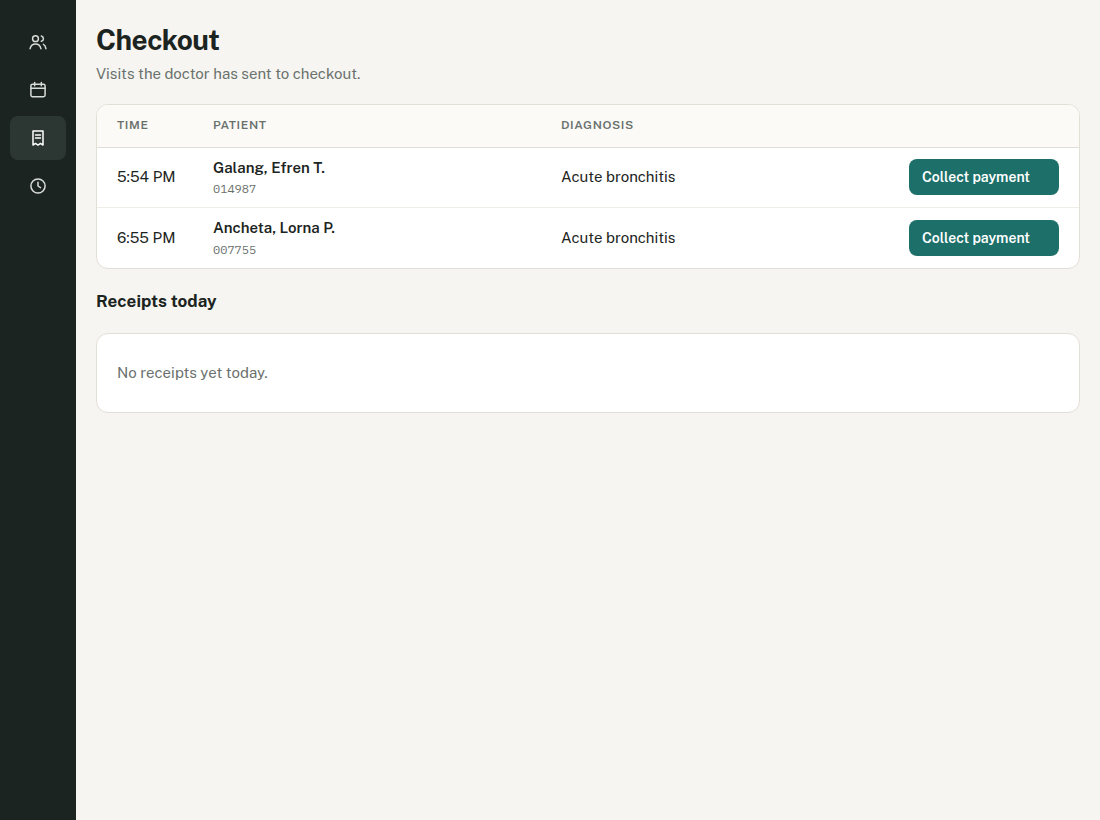
Everyone the doctor has finished with is listed here. -
Check the charges and the discount.
Professional fee, medicines given, anything else. Add more with "Add medicine, service or item". Senior citizen and PWD are 20% — write the ID number in the note box.
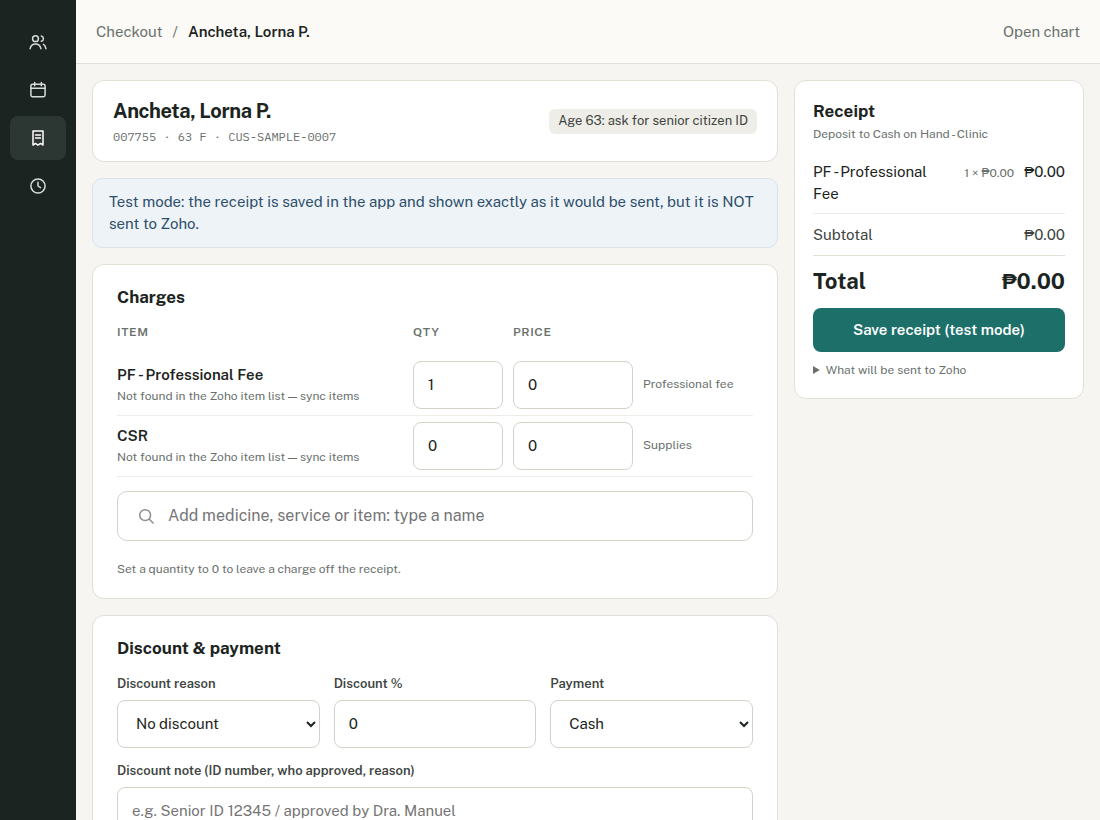
The prices in this picture are zero because it is the practice copy. -
Take the money, then tap Save & send receipt to Zoho.
The receipt is made in Zoho Books, the stock goes down, and the money is recorded as Cash on Hand - Clinic. Check the total with the patient before you press it.
Photos and papers everybody
-
Tap the paperclip at the top of the patient's page.
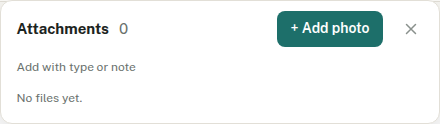
The number beside the paperclip is how many files the patient has. -
Tap + Add photo, take the photo — it saves by itself.
It is filed as a scanned record. For a lab result or referral, use "Add with type or note".
-
Wrong file? Tap ⋯ beside it, then Delete file.
It asks you first.
If something goes wrong everybody
| Wrong patient — I opened a visit on the wrong person | On the visit: More → Wrong patient? Cancel this visit, and choose why. It stays in the record marked cancelled and cannot be billed. |
| It went to checkout but the doctor is not finished | More → Not finished? Reopen this visit. |
| I typed in the wrong box | Cancel - don't save throws away only what you typed. The visit stays as it was. |
| I saved a mistake | Correct it and save again. The old wording stays in the history — nothing is lost. |
| The internet dropped while typing | Your typing is kept on that device. Open the same visit on the same device and save. |
| The receipt says it failed | Leave it. The app tries again every hour and never makes two receipts for one visit. |
| I forgot my PIN | Ask the admin to reset it, then make a new one when you sign in. |